
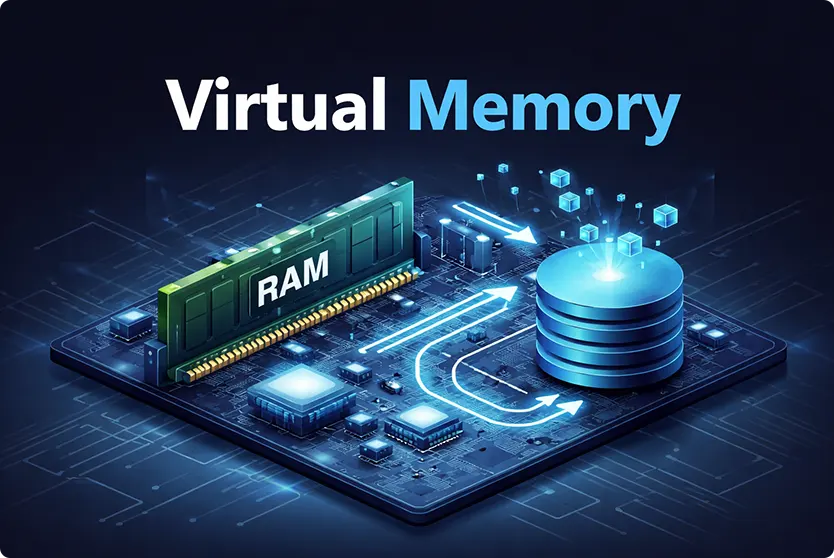
Virtual memory is one of the most important concepts in modern computing. Yet, many people still find it confusing or overly technical.
If you’ve ever run multiple applications at once or opened a large program on a system with limited RAM, you have already benefited from it. It works quietly in the background, ensuring your system remains responsive even under heavy workloads.
In this guide, we explain virtual memory in simple terms. You will learn how it works, why it is essential, and how it improves overall system performance.
– Check out our step-by-step guide on Building a gaming PC –
Understanding Virtual Memory and Why It Exists
Virtual memory is a memory management technique that allows a computer to use part of its storage, such as an SSD or hard drive, as an extension of RAM. Instead of relying solely on physical memory, the system creates a larger, logical memory space that applications can use.
This approach solves a fundamental problem in computing. Memory technologies come with a tradeoff. Faster memory, such as RAM, is expensive and limited in size, while storage devices are cheaper but slower. Because of this, systems cannot rely entirely on RAM to handle modern workloads.
Virtual memory bridges this gap. It allows systems to behave as if they have more RAM than they physically do. Applications can operate without concern for memory limitations, as the operating system handles all memory management tasks in the background.
How Virtual Memory Works in Real Systems
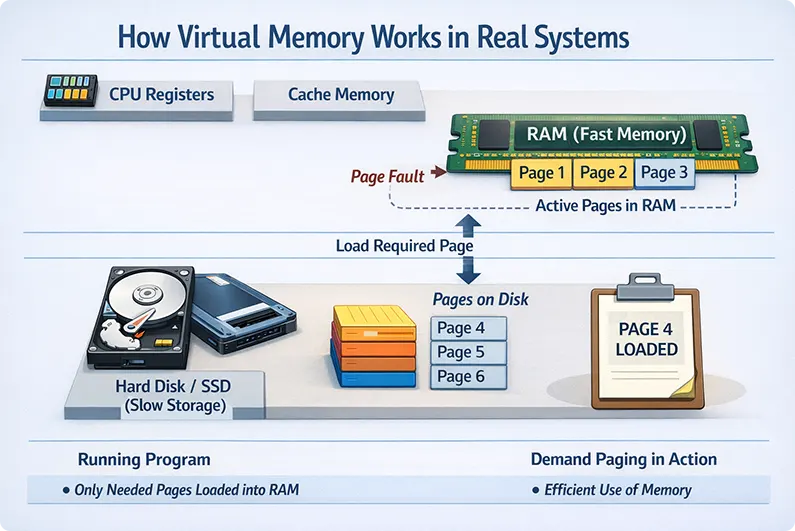
To understand how virtual memory works, it helps to look at how memory is structured. A computer organizes memory in layers, starting with very fast but small components like registers and cache, moving on to RAM, and finally to large but slower storage devices.
It connects these layers by allowing data to move between RAM and storage when needed. Instead of loading an entire program into memory, the system divides it into smaller parts called pages. Only the required pages are loaded into RAM at any given time, while the rest remain on disk.
When the CPU needs data that is not currently in RAM, the system detects this and loads the required page from disk. This event is known as a page fault. Once the data is loaded, execution continues normally. This process happens so quickly that users rarely notice it.
This method is called demand paging, and it is the foundation of virtual memory. It ensures that memory is used efficiently and only active data occupies valuable RAM space
Logical vs Physical Memory and System Efficiency
One of the most powerful ideas behind virtual memory is the separation between logical memory and physical memory. Physical memory refers to the actual RAM installed in the system, while logical memory is the larger address space that applications believe they have access to.
The operating system uses a component called the Memory Management Unit (MMU) to map logical addresses to physical locations. This mapping allows programs to run without worrying about where data is actually stored.
Because of this abstraction, programs can be larger than the available RAM. The system dynamically loads and removes data as needed, making efficient use of both memory and storage.
How Virtual Memory Improves Performance
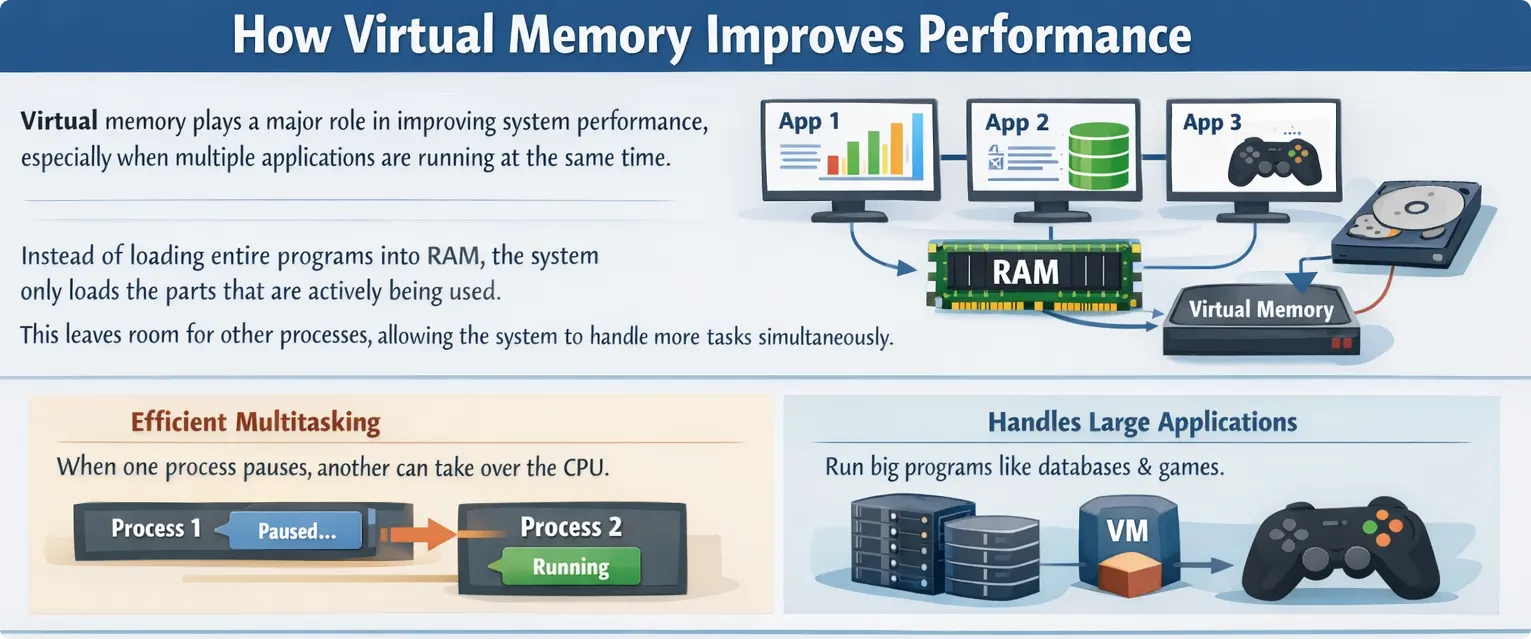
Virtual memory plays a major role in improving system performance, especially when multiple applications are running at the same time. Instead of loading entire programs into RAM, the system only loads the parts that are actively being used. This leaves room for other processes, allowing the system to handle more tasks simultaneously.
When one process pauses, for example while waiting for input or disk access, another process can take over the CPU. This keeps the processor busy and improves overall efficiency. As a result, users experience smoother multitasking and faster response times.
Virtual memory also allows large applications to run without issues. Software such as databases, virtual machines, and modern games often require more memory than what is physically available. By loading data in parts, virtual memory makes it possible to run these applications reliably.
A good example is a large video game. When the game starts, only the essential components are loaded. As the player moves through different levels, new data is loaded while older data is removed. This continuous swapping ensures that memory is used efficiently without overwhelming the system.
Memory Organization, Paging, and Fragmentation
Virtual memory uses a technique called ‘paging’ to organize memory efficiently. In this approach, both logical memory and physical memory are divided into fixed-size blocks. Logical blocks are called pages, while physical blocks are called frames.
Paging removes the need for contiguous memory allocation. This means that different parts of a program can be stored in different locations in RAM without affecting execution. The system keeps track of these mappings and ensures everything works seamlessly.
This design also helps solve fragmentation problems. In traditional memory systems, free space can become scattered, making it difficult to allocate large blocks of memory. Paging eliminates external fragmentation by using fixed-size blocks, which leads to more predictable and efficient memory usage.
Performance Tradeoffs and Potential Risks
While virtual memory improves system utilization, it is not without challenges. The biggest limitation comes from the difference in speed between RAM and disk storage. Accessing data from disk is significantly slower, which can impact performance if it happens too often.
If the system constantly moves data between RAM and disk, it can enter a state known as thrashing. In this situation, the system spends more time swapping data than executing actual tasks. This leads to noticeable slowdowns and poor performance.
To avoid this, modern systems aim to minimize page faults and manage memory efficiently. Using faster storage devices like SSDs and increasing RAM capacity can also help reduce the impact of virtual memory operations.
Conclusion
Virtual memory is a foundational technology that makes modern computing possible. It allows systems to overcome physical memory limitations, run large applications, and support multitasking efficiently.
By loading only the necessary parts of a program and managing memory dynamically, virtual memory ensures that both CPU and memory resources are used effectively. Even though it introduces some performance overhead, its benefits far outweigh the drawbacks.
In today’s computing environment, virtual memory is not just an optimization. It is a core requirement for delivering smooth, reliable performance.